Are you tired of constantly juggling between different windows on your computer? Dual monitors can be the game-changer you need to overcome such challenges. By adding an extra monitor to your workstation, you can revolutionize the way you work, play, or create digital content.
From the layout and key mechanism to additional features and customization options, there are numerous factors to consider when selecting a computer keyboard to enhance your overall computing experience. In this article, we will delve into the various aspects of choosing the right computer keyboard to help you find the perfect match.
When it comes to replacing your company’s servers, you should review aspects of your existing server infrastructure and consider the implications of the upgrade. Answering questions related to reliability, performance, security, and scalability will allow you to make the right decisions and ensure the upgrade aligns with your company’s long-term goals.
Network errors can be frustrating and can disrupt your productivity. They can be caused by a variety of factors, including hardware failures, software bugs, or problems with your network configuration. In this article, we will discuss common network errors and provide tips on how to fix them.
Working on a computer all day can be tedious and tiring. And doing the same things over and over again can affect your morale, which, in turn, can impact your productivity. Here are five essential tips for PC users that can help boost your productivity in the workplace.
If you rely heavily on computers for routine tasks in daily operations, making sure they keep running as smoothly and efficiently as possible is essential. When done right, maintaining your PCs, as well as other hardware, will ensure more efficient workflows and fewer annoying IT hiccups along the way.
Many people don’t realize just how vulnerable today’s computers and mobile devices are to nosy individuals and cybercriminals. However, by taking a few simple precautions, you can significantly improve your devices’ security, as well as the security of data stored within.
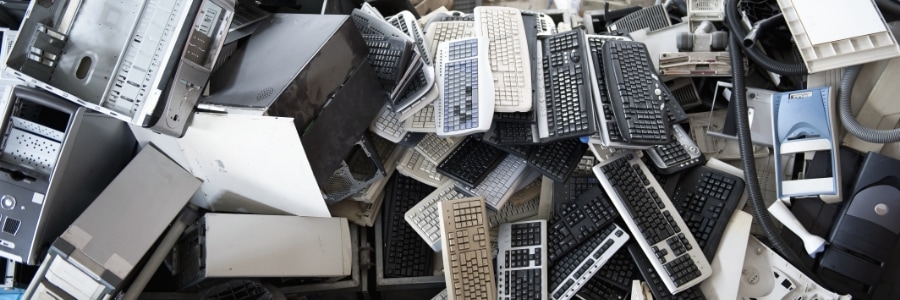
It’s no secret that technology advances at a rapid pace. Sooner or later, even the best devices will start to feel slow and outdated. If you’re in the market for a new computer, you may be wondering what to do with your old one. Don’t worry because we’ve got you covered.
To facilitate communication and collaboration among remote workforce, fast and reliable home Wi-Fi connections are essential. If you are a remote worker and have exhausted all the home Wi-Fi boosting tips online, then perhaps it’s time to look into wireless repeaters and additional access points.
It’s no secret that a clean work environment is more productive than a cluttered one. The same principle applies to your computer and mobile devices. If you allow them to accumulate dirt and dust, you’re going to start seeing glitches and hardware failures — both of which will affect your productivity.