Customers, partners, and vendors expect internet access when they’re visiting someone else’s office. This is why guest Wi-Fi access is so common. But setting it up the wrong way can create a frustrating experience for people looking to connect and leave your company exposed to attacks.
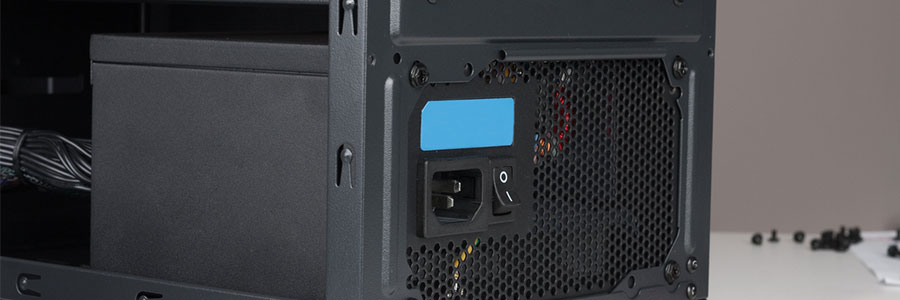
There are plenty of hardware specifications to consider when installing a new workstation in the office, but one you should focus on first is the power supply unit (PSU). Choosing a faulty, substandard PSU often leads to unstable systems and poor performance.
Today, you simply can’t survive without a WiFi connection. Businesses need fast, secure, and reliable internet to get work done and satisfy customers. But what do you do when experience WiFi issues? These fixes ought to do the trick!
Range constraints
WiFi works via radio waves which are broadcast to all possible areas from a central hub, usually a piece of hardware known as a router.
You can easily lower your IT budget by better managing your print infrastructure. It sounds too good to be true, but it’s totally doable. Companies big and small follow inefficient printing models without even realizing it, but you can break the mold by following these tips:
Replace outdated printers
Outdated and cheap printers may be functional, but they are putting a huge dent in your IT budget.
Do you still have old PCs and laptops lying around somewhere? If you’re thinking about finally trashing them, don’t! Despite being big, slow, and prone to crashes, you can still make good use out of your old computer.
You might have to do some light upgrades like install more RAM and a bigger hard drive, depending on how old your PC is, but it’ll be worth it.
Increased productivity and constant collaboration are two of the main reasons why businesses have integrated a mobile policy into their business. This means an increased use of mobile devices such as smartphones and tablets in daily operations. But as the number of mobile users continues to grow, so does the number of cyber crime.
Just a few years ago, smart appliances seemed like novelty products for rich business owners. Now, the Internet of Things (IoT) has become a viable solution for putting your business ahead of the curve. But whether it’s a smart fridge or a surveillance camera that connects to your phone, IoT devices should be treated and secured just like any computer in a network.
When you have several cost-effective options like cloud computing and managed services providers, IT spending should never get out of control. And if you want to cut back even further, trade in your expensive desktops for thin and zero clients.
What are thin and zero clients?
Thin clients are stripped-down computers with minimum processing power and memory.
For some businesses, power loss could result in profit loss. Natural disasters such as storms and hurricanes, construction or utility accidents, and other unforeseeable technical failures can put your business’s operations to a grinding halt. Businesses that depend on a continuous power supply to function might endure a slight disruption, but some might not.
Due to the recent WannaCry ransomware exploits, business owners are refocusing their efforts on protecting computer networks. Despite that, many leave one key device unaccounted for: their smartphone. The truth is hackers can exploit the technology in your smartphone to conduct malicious acts, and one of the most common is Bluetooth technology.